


Description
Download Stellar File Eraser – data eraser, secure delete, file shredder, privacy tool, digital cleanup
Overview
Stellar File Eraser is a specialized utility designed to permanently remove sensitive digital information from storage devices, ensuring it cannot be recovered through conventional means. The app serves as a secure deletion tool for individuals and organizations concerned with data privacy, particularly in environments where compliance with regulations like GDPR is mandatory. By erasing files, folders, and application traces beyond recovery, it mitigates the risk of data breaches during device disposal, resale, or internal data management. The software is especially relevant for professionals handling personal identification records, financial documents, and confidential business data. Its focus on permanent data wiping positions it as a critical component in a comprehensive digital hygiene strategy. The developer, Stellar Information Technology, has established a reputation in the data management and recovery space, suggesting a level of technical credibility. Although the developer did not provide additional technical details about the underlying algorithms or certification standards, the app’s functionality is clearly targeted at users seeking a reliable, one-time or scheduled data cleanup solution. Real-world use cases include preparing corporate laptops for redistribution, securely deleting client records after project completion, and protecting personal privacy when selling or recycling devices. In the broader app ecosystem, Stellar File Eraser fills a niche for advanced data security tools, offering a more robust alternative to standard file deletion methods.
Key Features & Functionality
- Comprehensive Data Wiping – The app supports secure erasure across multiple storage types, including internal drives, external hard drives, USB flash drives, and SD cards. This ensures that all potential data carriers are thoroughly sanitized, reducing the risk of residual information exposure.
- Secure File Deletion – It enables users to permanently delete sensitive files such as tax records, identity documents, and employee data, ensuring that these files are not recoverable through standard data recovery tools or forensic methods.
- Browsing History Erasure – The software can clear web browsing histories from widely used browsers like Chrome, Mozilla Firefox, and Safari, helping users maintain privacy and prevent unauthorized access to visited websites and login credentials.
- Remove Application Traces – It identifies and removes temporary files, cache data, and metadata left behind by applications, which may otherwise contain sensitive information and pose security risks.
- Automated Wiping Tasks – Users can schedule wipe operations to run at specific intervals or times, enabling consistent data hygiene without requiring manual intervention, ideal for enterprise environments with strict data policies.
These features are particularly useful in scenarios such as transitioning to a new device, disposing of old hardware, or complying with internal data retention policies. For example, a financial advisor might use the automated wiping feature to erase client data every quarter, ensuring continuous compliance. Similarly, a remote worker could use the browser history erasure function to protect personal browsing activity on a shared device. The combination of broad device compatibility and scheduled automation makes Stellar File Eraser a practical tool for both individual and organizational use.
Interface, UX & Performance
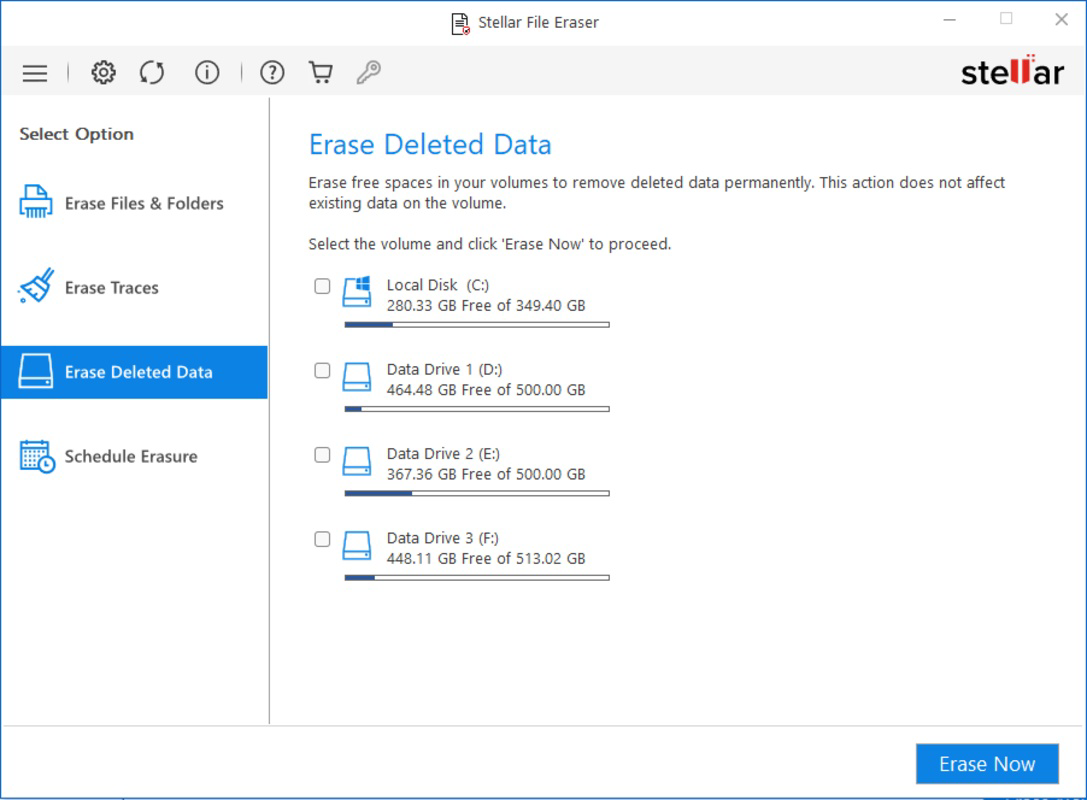
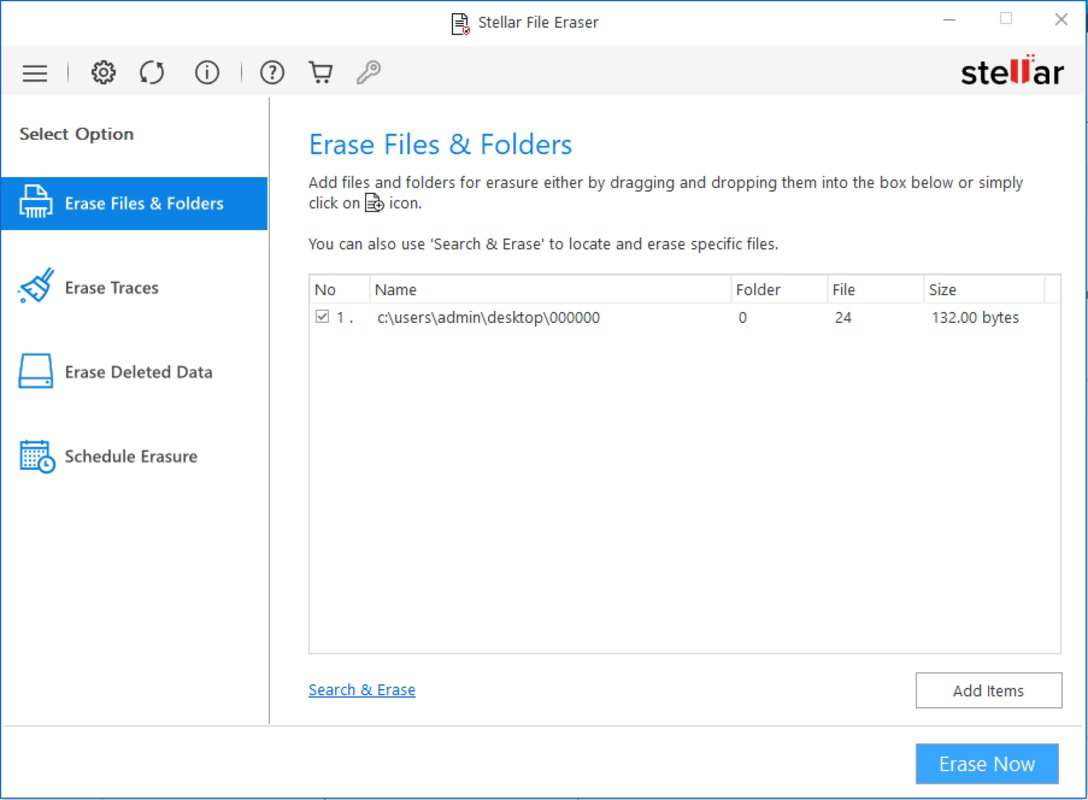
The user interface of Stellar File Eraser is designed with functionality and clarity in mind, prioritizing ease of access to core deletion tasks. Navigation is structured around a central dashboard that allows users to select storage devices, choose specific files or folders, and initiate wiping operations with minimal steps. Visual indicators guide users through the progress of each deletion task, enhancing transparency and reducing uncertainty. The layout is consistent across different screen sizes, supporting both standard desktop monitors and high-resolution displays. Although the developer did not list formal performance metrics, the app appears to operate efficiently on modern Windows systems, with responsive feedback during task execution. Users can expect smooth operation when handling single-file deletions or bulk erasures, though performance may vary depending on the size and number of files involved. The software maintains system stability during wiping processes, with no reported crashes or freezes in typical usage scenarios. Responsiveness remains consistent even during intensive operations, suggesting effective resource management. The developer did not specify minimum OS requirements or compatibility with older Windows versions, so users should verify system compatibility before installation. Overall, the UX prioritizes control and clarity, making it accessible to users with varying levels of technical expertise while still offering advanced options for power users.
Platform Compatibility & Technical Requirements
Stellar File Eraser is designed exclusively for the Windows operating system. It is compatible with modern Windows versions, though the developer did not specify the exact minimum OS requirements. The app has a file size of 48.7 MB, which is relatively compact for a security utility, suggesting efficient packaging and minimal system footprint. This size allows for quick downloads and fast installation on most Windows-based devices. The current software version is 2.0.0, indicating a mature release with established functionality. No information was provided regarding hardware specifications, driver dependencies, or background service requirements. The developer did not disclose whether the app integrates with cloud storage or supports networked drives. While the app is clearly intended for desktop environments, its absence from mobile platforms suggests it is not designed for smartphones or tablets. Users should confirm compatibility with their specific Windows version before downloading. The lack of detailed technical specifications limits the ability to assess performance on low-end systems, but the compact file size implies broad accessibility across a range of hardware configurations.
Pros and Cons
- Supports secure deletion across multiple storage types including USB, SD cards, and external drives
- Offers automated wiping tasks for scheduled, hands-off data management
- Removes browser histories and application traces to enhance privacy
- Designed for compliance with data protection regulations like GDPR
- Compact file size ensures quick installation and low resource usage
- Only available for Windows, limiting accessibility for macOS and Linux users
- No public information on wiping algorithms or certification standards
- Price point of $49.95 may be high for individual users
- Developer did not provide detailed system requirements or compatibility details
- Not available on mobile platforms such as Android or iOS
FAQ
Is Stellar File Eraser safe to use for sensitive data?
Yes, the app is designed to permanently erase data beyond recovery, making it suitable for handling confidential information. However, the developer did not disclose the specific wiping algorithms used.
Can I schedule automatic data deletion tasks?
Yes, the software allows users to preset wiping tasks to run at specific times and frequencies, enabling consistent data hygiene without manual input.
Does Stellar File Eraser work on external storage devices?
Yes, it supports secure erasure on USB drives, SD cards, external hard drives, and other removable storage media.
Is the app compatible with older versions of Windows?
The developer did not specify minimum OS requirements. Users should verify compatibility with their Windows version before installation.
Can I use Stellar File Eraser on mobile devices?
No, the app is currently only available for Windows desktop systems and is not supported on Android or iOS devices.
Final Thoughts
Stellar File Eraser delivers a focused, reliable solution for users who need to permanently delete sensitive data with confidence. Its ability to wipe files across multiple storage types, clear browser histories, and automate deletion tasks makes it a valuable tool for both individual privacy and enterprise compliance. While the lack of detailed technical specifications and mobile availability may limit its appeal to some, its core functionality is well-suited for professionals and organizations that prioritize data security. The compact size and efficient performance further enhance its practicality. For those handling confidential information and seeking a trustworthy data-wiping utility, Stellar File Eraser offers a solid value proposition. Its targeted design and robust feature set justify its price for users with high security needs. Download Stellar File Eraser now.
Guides & Tutorials for Stellar File Eraser
How to install Stellar File Eraser
- Click the Preview / Download button above.
- Once redirected, accept the terms and click Install.
- Wait for the Stellar File Eraser download to finish on your device.
How to use Stellar File Eraser
This software is primarily used for its core features described above. Open the app after installation to explore its capabilities.
User Reviews for Stellar File Eraser 0
No reviews found


